
Choosing the right 4k Hdmi Over Ip solution is rarely a simple specification exercise. Global buyers must compare image quality, network performance, installation demands, and long-term support. A product may promise 4K resolution, yet still struggle with latency, signal drops, or uneven color reproduction. The details matter.
This guide examines ten leading solutions for professional AV environments, including classrooms, control rooms, hospitality venues, retail spaces, and corporate offices. Each option is considered through practical factors such as HDMI compatibility, codec performance, bandwidth requirements, PoE support, multicast handling, and management software. We also examine installation evidence, warranty coverage, firmware policies, and regional technical assistance. These points often influence ownership costs more than the initial purchase price.
Real-world testing remains important. A clean image on a short showroom cable proves little. A reliable system should maintain stable video across longer network paths, busy switches, and changing traffic conditions. It should also provide clear diagnostic tools when something fails. No solution is perfect. Some systems offer impressive flexibility but require experienced network engineers. Others simplify deployment but limit expansion or advanced control. That trade-off deserves honest attention.
The following selection is designed to help buyers compare capabilities without relying on marketing claims alone. Requirements differ by region, building design, and application. Verify current specifications with the manufacturer before ordering. A careful decision today can prevent expensive rewiring tomorrow.
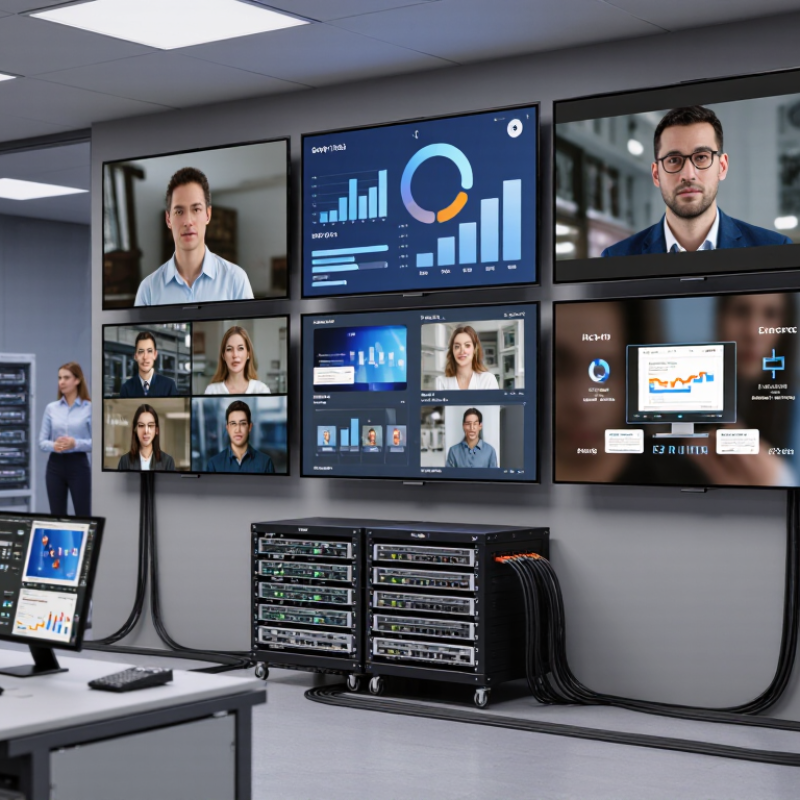
For global buyers, 4K HDMI over IP means distributing high-resolution video through a standard network. Instead of dedicated cables, transmitters and receivers share Ethernet infrastructure. A transmitter converts HDMI signals into network data. Receivers then restore the image near each display.
This approach can simplify large installations across offices, classrooms, hotels, and control rooms. However, 4K is not one fixed experience. Buyers should check support for 4K at 60 frames per second, color depth, chroma sampling, and compression behavior. A system may advertise 4K, yet reduce detail during busy scenes. That difference becomes visible on a large screen.
Network design deserves practical testing. Managed switches, sufficient bandwidth, multicast support, and traffic separation can prevent frozen images or delayed audio. Latency matters. In a live presentation, even a small delay feels uncomfortable. Test several receivers together, not just one unit on a quiet network. That reveals problems specifications may hide.
Global projects add other concerns. Confirm power requirements, connector compatibility, operating temperatures, and local service procedures. Clear manuals reduce installation mistakes across different teams. Security features also matter because video traffic travels through shared infrastructure. Ask how devices receive updates and how access is controlled. Warranty terms can vary by region, sometimes unexpectedly. I would request a sample deployment before a large purchase. It costs time, but it may expose weak documentation or unstable switching. Perfect interoperability should not be assumed.
When comparing the top 10 4K HDMI over IP solutions, buyers should examine the network first. An encoder captures HDMI video and converts it into digital packets. Those packets travel through managed Ethernet switches, then reach decoders near displays. Unicast sends one stream to one receiver. Multicast distributes one stream to many receivers without repeating full bandwidth. The difference matters in classrooms, control rooms, hotels, and stadiums.
A 4K60 signal with 4:4:4 color can require nearly 18 Gbps before compression, matching the bandwidth defined in the HDMI 2.0 specification. Most practical systems therefore use compression and carefully selected network profiles. One-gigabit Ethernet may support compressed 4K in controlled conditions. Ten-gigabit uplinks provide more comfort for multiple channels.
According to Ericsson’s June 2024 Mobility Report, global mobile data traffic is expected to approach 300 exabytes per month by 2029. Network congestion is not a distant concern.
Latency, packet loss, and multicast control vary across network environments. IGMP snooping helps prevent streams from flooding every switch port. Quality-of-service rules can protect video from voice and ordinary data traffic. Fiber links suit long building-to-building runs, while copper often serves shorter room connections. Power over Ethernet can simplify installation, but switch power budgets need checking.
In my experience, many failures begin with an attractive bandwidth calculation. The spreadsheet looks perfect. Real traffic behaves differently. A solution should be tested during peak use, with full display counts and realistic cable paths. Independent monitoring is still valuable. No system is truly “plug and play” everywhere.
When comparing 4K HDMI over IP solutions, begin with real video performance. Check whether the system supports 4K at 60Hz, full chroma, and stable color depth. A clear specification should state bandwidth, compression, and latency. “Near zero” needs measurement details. A live camera feed can expose delays that a presentation slide hides. Test motion, dark scenes, and rapid source switching before purchasing.
Network design matters as much as image quality. Look for multicast support, managed-switch compatibility, and clear bandwidth planning tools. A 4K stream may consume substantial capacity, especially with multiple displays. Check PoE support, redundant power options, and fiber or copper distance limits. Management software should show device status, signal loss, temperature, and firmware versions. Simple control helps. Poor monitoring creates expensive troubleshooting.
Compatibility requires careful attention. Verify HDCP handling, EDID management, embedded audio, USB extension, and video-wall scaling. Security features should include user permissions, encrypted management, and controlled network access. Global buyers should also compare operating temperature, local power standards, documentation quality, and service response. I have seen systems pass laboratory tests but struggle in crowded networks. Test the solution under realistic traffic. No specification sheet is perfect. Allow room for firmware changes, imperfect cabling, and occasional human error.
| Rank | Solution Profile | Typical Video Capability | Compression Method | Chroma / Bit Depth | Typical Latency | Transmission Distance | Network & PoE Support | HDCP / EDID | Audio Support | Best-Fit Application | Key Buying Consideration |
|---|---|---|---|---|---|---|---|---|---|---|---|
| 1 | 4K60 Uncompressed IP Matrix | Up to 3840 × 2160 at 60 Hz; HDMI 2.0-class sources | Uncompressed IP transport | 4:4:4; up to 8-bit commonly supported | Ultra-low Usually below 1 frame | Up to 100 m over Cat 6; longer through fiber uplinks | 1 GbE; managed multicast switching recommended; PoE depends on endpoint design | HDCP 2.2 commonly available; automatic EDID management | Embedded HDMI audio; multichannel formats depend on endpoint and display | Control rooms, live production, premium residential systems | Requires a carefully configured managed network with adequate multicast capacity |
| 2 | 4K60 Visually Lossless AV-over-IP | Up to 4K at 60 Hz with high-quality image reproduction | Lightweight visually lossless compression | 4:4:4 or 4:2:2; 8-bit or 10-bit depending on implementation | Low Approximately 1–2 frames | 100 m over copper; scalable through standard Ethernet infrastructure | 1 GbE or 10 GbE depending on stream count; PoE+ commonly available | HDCP 2.2 and configurable EDID profiles are typical | HDMI embedded audio; analog de-embedding may be available | Corporate AV, education, digital signage, hospitality | Balances image quality, bandwidth efficiency, and network scalability |
| 3 | 4K60 Low-Bandwidth Codec System | 4K at 30 or 60 Hz, depending on codec and bit rate | Visually optimized JPEG XS, motion JPEG, or equivalent low-latency codec | 4:4:4 or 4:2:0; 8-bit commonly supported | Low Typically 1–3 frames | 100 m over Cat 6; multi-gigabit or fiber links for larger deployments | 1 GbE for moderate systems; 10 GbE preferred for dense matrices | HDCP 2.2 support varies; EDID pass-through and emulation are common | Embedded PCM and compressed HDMI audio formats may be supported | Multi-room AV, retail, museums, distributed video | Confirm actual bandwidth per stream before selecting the network switch |
| 4 | 4K HDR Distribution Platform | 4K at 60 Hz with HDR10; some systems support HLG or Dolby Vision pass-through | Uncompressed or low-latency compressed transport | 4:2:2 or 4:4:4; 10-bit support is important for HDR | Low Usually 1–3 frames | Up to 100 m over Cat 6A; fiber for longer routes | 1 GbE or 10 GbE; PoE availability varies by transmitter and receiver | HDCP 2.2; HDR metadata and EDID handling should be verified | HDMI audio pass-through; ARC/eARC support is not universal | Home theater, premium hospitality, broadcast monitoring | Check compatibility with HDR format, color depth, and display handshaking |
| 5 | 4K60 PoE Managed Matrix | 4K at 60 Hz over a centralized Ethernet matrix | Compressed or lightly compressed IP transport | 4:2:0, 4:2:2, or 4:4:4 depending on model; commonly 8-bit | Low Approximately 1–4 frames | Up to 100 m per copper segment | PoE+ commonly powers receivers; IGMP snooping and querier are required | HDCP 2.2 is common; EDID presets simplify mixed-display systems | Embedded HDMI audio; external analog audio may require separate hardware | Meeting rooms, classrooms, hotels, retail stores | PoE budget, switch port power, and multicast configuration are critical |
| 6 | 4K Long-Distance Fiber IP System | 4K at 30 or 60 Hz, depending on bandwidth and optical interface | Uncompressed or low-latency compressed transport | 4:2:2 or 4:4:4; 8-bit and selected 10-bit configurations | Low Typically 1–3 frames | 10 km or more over single-mode fiber; multimode distances are shorter | 1 GbE, 10 GbE, or optical Ethernet; PoE is generally unavailable over fiber | HDCP and EDID support depend on the optical endpoint design | HDMI embedded audio; professional audio breakout may be supported | Campuses, stadiums, airports, industrial sites | Verify fiber type, connector standard, optical budget, and redundant-path options |
| 7 | 4K Video-Wall IP Platform | 4K input distribution with synchronized output control for tiled displays | Low-latency compressed or visually lossless transport | 4:4:4 or 4:2:2; 8-bit commonly available | Low Frame synchronization is system-dependent | 100 m over Cat 6A; fiber backbone for larger venues | 1 GbE or 10 GbE; IGMP, VLANs, and clock synchronization may be required | HDCP 2.2 and flexible EDID management are common | Embedded audio; audio routing may require a separate processor | Control rooms, retail walls, command centers, event venues | Prioritize bezel compensation, genlock or frame sync, and wall-layout management |
| 8 | 4K KVM-over-IP Extension System | 4K at 30 or 60 Hz with USB-HID and peripheral extension | Low-latency compressed transport | 4:4:4 commonly preferred; 8-bit is typical | Low Often below 2 frames for operator control | 100 m over Cat 6; fiber uplinks for long-distance operation | 1 GbE or 10 GbE; PoE depends on receiver design | HDCP support varies; EDID emulation is important for stable workstation output | HDMI audio plus USB 2.0 or USB-HID extension on selected systems | Operations centers, medical environments, server rooms | Evaluate keyboard/mouse responsiveness, USB compatibility, and secure access control |
| 9 | Secure Enterprise AV-over-IP Platform | 4K at 30 or 60 Hz with centralized routing and user permissions | Encrypted low-latency IP transport | 4:2:2 or 4:4:4; 8-bit commonly supported | Low Typically 1–4 frames | 100 m copper access links; fiber or routed Ethernet for inter-building use | Managed 1 GbE or 10 GbE; VLAN, QoS, IGMP, and optional PoE support | HDCP 2.2; EDID control; encryption and authentication should be verified | HDMI embedded audio; network audio integration varies | Financial institutions, government, healthcare, multinational offices | Confirm cybersecurity features, firmware policy, logging, and third-party network support |
| 10 | Scalable 4K Multi-Source IP Matrix | Multiple 4K sources and displays with one-to-one, one-to-many, and wall routing | Uncompressed, visually lossless, or low-latency codec options | 4:4:4 preferred for desktop content; 8-bit or 10-bit by configuration | Low Approximately 1–4 frames | 100 m per copper hop; scalable through fiber and routed Ethernet | 1 GbE for smaller systems; 10 GbE or higher for dense deployments; PoE optional | HDCP 2.2, EDID emulation, and source/display status monitoring are typical | HDMI embedded audio; balanced audio expansion may be available | Large campuses, convention centers, broadcast support, enterprise headquarters | Compare endpoint density, network uplink capacity, API control, and redundancy |
Note: Specifications shown are representative market ranges for solution categories rather than brand-specific product claims. Actual performance depends on endpoint hardware, HDMI source and display compatibility, network design, cable quality, multicast configuration, and supported video formats.
For international applications, 4K HDMI over IP systems must handle distance, language, power, and network differences. A practical top-ten shortlist includes point-to-point extenders, scalable matrix systems, multicast platforms, fiber-based links, PoE-powered endpoints, low-latency systems, video-wall controllers, KVM solutions, recording-ready networks, and centrally managed installations.
Point-to-point links suit classrooms and small meeting rooms. Matrix platforms serve airports, hospitals, and multilingual control centers. Multicast reduces duplicate traffic when many displays show one source. Fiber improves stability across large campuses and electrically noisy spaces. PoE simplifies endpoint installation, but switch capacity must be checked carefully. A 4K signal can consume substantial bandwidth, especially with high frame rates and HDR.
Low-latency designs matter for live production and remote operation. Video-wall controllers should support bezel adjustment and mixed layouts. KVM systems help operators share computers securely between rooms. Recording-ready networks benefit training centers and public information facilities. Central management can simplify overseas support, yet remote access requires strict permissions and documented procedures. Test equipment is essential.
Real installations often expose overlooked problems. An old network switch may pass office traffic but fail sustained video loads. Unstable cables can create brief black screens that are difficult to diagnose. Time-zone differences also complicate maintenance. I recommend testing each endpoint with the intended display, cable length, and network configuration before shipment. No solution is perfect. Heat, firmware changes, and inconsistent site wiring still require human review.
Choosing a 4K HDMI over IP solution starts with the use case, not the product list. A small meeting room may need one transmitter, two receivers, and simple control. A university, hotel, or control center may require hundreds of endpoints. In those environments, multicast support, VLAN planning, and centralized monitoring become essential. Check video resolution, refresh rate, audio format, and HDCP compatibility before comparing prices. A low-cost system can become expensive when switches, licenses, and installation time are added.
Tips: Calculate total bandwidth, not only 4K resolution. Confirm the network switch supports the required data rate and multicast features. Test cable lengths, latency, and control signals in the real environment. Leave spare capacity for future displays. It matters.
Budget decisions should reflect operational risk. For temporary demonstrations, basic point-to-point equipment may be sufficient. For 24-hour commercial spaces, choose hardware with reliable thermal design, warranty coverage, and accessible diagnostics. PoE can simplify installation, but compatible power budgets must be verified carefully. Global buyers should also check voltage requirements, regional certifications, service availability, and local network practices. Specifications look precise, yet real performance can change with switch settings and cable quality. A pilot test is often wiser than trusting a perfect datasheet. I have seen installations fail because one overlooked network rule blocked multicast traffic. That detail deserves more attention.
| Cookie | Duration | Description |
|---|---|---|
| cookielawinfo-checkbox-analytics | 11 months | This cookie is set by GDPR Cookie Consent plugin. The cookie is used to store the user consent for the cookies in the category "Analytics". |
| cookielawinfo-checkbox-functional | 11 months | The cookie is set by GDPR cookie consent to record the user consent for the cookies in the category "Functional". |
| cookielawinfo-checkbox-necessary | 11 months | This cookie is set by GDPR Cookie Consent plugin. The cookies is used to store the user consent for the cookies in the category "Necessary". |
| cookielawinfo-checkbox-others | 11 months | This cookie is set by GDPR Cookie Consent plugin. The cookie is used to store the user consent for the cookies in the category "Other. |
| cookielawinfo-checkbox-performance | 11 months | This cookie is set by GDPR Cookie Consent plugin. The cookie is used to store the user consent for the cookies in the category "Performance". |
| viewed_cookie_policy | 11 months | The cookie is set by the GDPR Cookie Consent plugin and is used to store whether or not user has consented to the use of cookies. It does not store any personal data. |