How to Choose Automation Control Systems in 2026

Choosing an automation control system in 2026 is not a shopping exercise. It is a decision about how reliably a plant can run, adapt, and recover when conditions change. A packaging line may need millisecond-level coordination; a water-treatment site may prioritize stable measurements and clear alarms. The right choice depends on the process, not the gloss of a product brochure.

Process-control engineer Bela Liptak, editor of the Instrument and Automation Engineers’ Handbook, is a useful voice to consider when evaluating control design. His work underscores the importance of matching control methods to real process requirements. A broader reminder comes from quality expert W. Edwards Deming: “A bad system will beat a good person every time.” That principle matters here. Even skilled operators cannot compensate indefinitely for confusing interfaces, poor integration, or unreliable data.

This guide examines the decisions behind a sound selection: PLC, DCS, or SCADA architecture; safety and cybersecurity needs; compatibility with existing equipment; lifecycle costs; and vendor support. It also considers practical details, such as whether technicians can diagnose a fault from an alarm screen or source replacement parts without long delays. Some trade-offs remain uncomfortable. The newest platform may not be the easiest to maintain, and a lower purchase price can hide years of integration work. Look closely. The aim is not to find a perfect system, but to choose automation control that fits the site, its people, and its plans for growth.
How to Choose Automation Control Systems in 2026

Define Your Operational Requirements and Control Objectives

How to Choose Automation Control Systems in 2026

Define Your Operational Requirements and Control Objectives

A useful control-system decision starts with the work the equipment must perform, not a feature list. Map each process step, from a sensor detecting a bottle to a reject gate removing a damaged one. Note required cycle times, product changes, operator actions, and acceptable downtime. Be specific. “Fast” is not a measurable target; “complete each cycle within 1.2 seconds” is.

Separate essential control objectives from desirable extras. A temperature loop may need stable readings within a narrow range, while a small conveyor may only need reliable start-and-stop control. Record how operators will respond to alarms and how maintenance staff will diagnose faults. These details shape interface, logging, and access needs. Keep room for change. But do not design for every imagined future.

Check the requirements against actual operating conditions: cabinet space, dust, vibration, network reliability, and staff skill levels. Ask operators to walk through a normal shift and a failure scenario. Their answers may expose gaps in a polished specification. I have seen teams overlook manual recovery steps because the automated sequence looked complete on paper. That is an easy mistake. Revisit assumptions before comparing systems, and document what remains uncertain. A little uncertainty, written down, is safer than false precision.

Compare Control System Architectures and Capabilities

How to Choose Automation Control Systems in 2026

Compare Control System Architectures and Capabilities

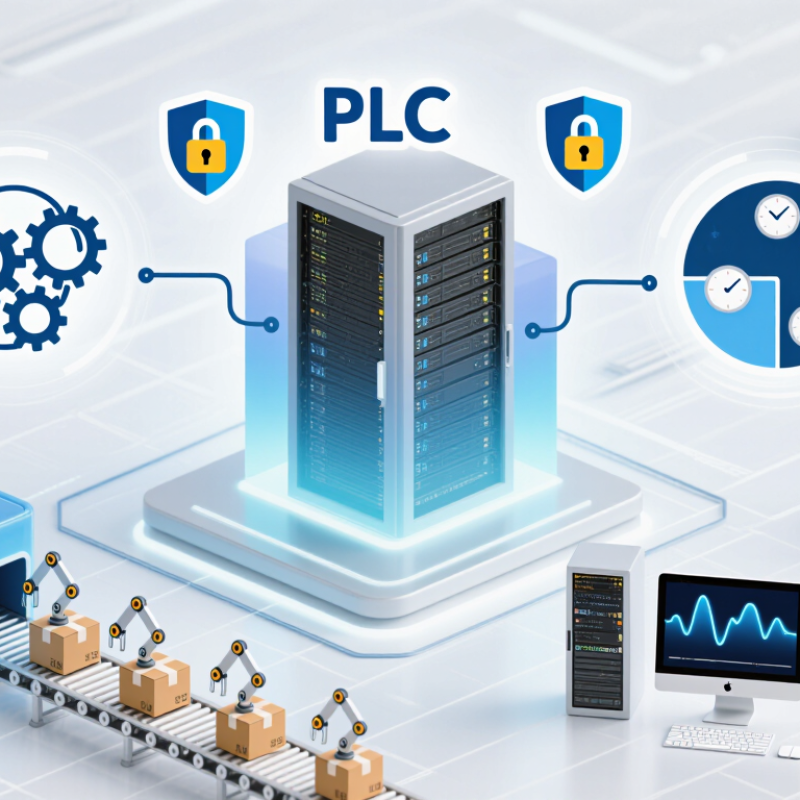
Choosing an automation architecture starts with the process, not a feature list. A PLC-based system suits fast, repeatable machine control, such as coordinating a conveyor and a packaging line. A distributed control system handles many continuous loops across a plant. SCADA supervises remote assets and gives operators a wider view. These categories can overlap. The real differences are response time, scale, redundancy, and how easily teams can maintain the system.

The Deloitte 2024 Smart Manufacturing Survey found that 86% of surveyed manufacturers expect smart manufacturing to drive competitiveness within five years. That is a strong signal, not a reason to buy complexity. Compare systems against concrete tasks: Can an operator see a stalled pump quickly? Can a controller keep a process stable if the network drops? Check historian capacity, alarm handling, safety-system separation, and support for common data interfaces. A polished dashboard cannot fix poor control design.

Edge and cloud tools add analysis across sites, while local controllers keep time-critical actions close to equipment. Test the failure path. Disconnect a network during a controlled trial and observe what operators can still see and do. Also examine cybersecurity updates, backup restoration, and staff training—not just initial cost. The awkward truth is that the most capable architecture may be harder to operate well. A smaller, clearly documented system can outperform an ambitious design when maintenance skills are limited.

Assess Integration, Connectivity, and Cybersecurity

How to Choose Automation Control Systems in 2026

A control system must fit the equipment and the way people maintain it. Check whether it supports the plant’s existing protocols, sensors, and supervisory software. During a site review, trace one real data point from sensor to operator screen. Note conversion steps, update delays, and who owns each connection. Integration often looks simple on a diagram. The odd legacy device can change that.

Tips: Ask suppliers to demonstrate a typical fault, not just normal operation. Confirm how the system behaves when the network drops. Test role-based access, multifactor authentication, encrypted connections, and audit logs. Check patch procedures and the expected support period. Small gaps matter.

Connectivity needs careful limits. Separate control traffic from office networks, and restrict remote access to approved, monitored paths. Verify that essential control functions remain safe during an outage. Review what data leaves the site and whether operators can identify unusual traffic. A strong security checklist helps, but it cannot replace realistic testing. I would not assume every feature will work exactly as it did in a demonstration. Run a pilot with representative devices, document the results, and revisit assumptions before expanding.

Evaluate Scalability, Reliability, and Lifecycle Costs

How to Choose Automation Control Systems in 2026

Evaluate a system against the plant you have and the expansion you can reasonably expect. Check available controller capacity, spare input/output points, network limits, and support for existing equipment. Adding a production line should not require replacing the entire control platform. Reliability deserves equal scrutiny. Ask how faults are diagnosed, whether critical components can be replaced without stopping production, and how backups are tested. A specification sheet rarely shows the difference between a quick recovery and hours of troubleshooting. Downtime is expensive.

Tips: Build a five-year cost model. Include installation, engineering, operator training, software updates, spare parts, and planned maintenance. Compare costs under realistic operating conditions, not just quoted purchase prices. Request a sample maintenance schedule and confirm which tasks require specialist support.

Be cautious with optimistic growth forecasts; they are often wrong. Still, buying far more capacity than needed can raise costs and complexity. Review actual production plans with operators and maintenance staff, then leave room for measured expansion. Track expected service life, replacement availability, and the effort needed to migrate data or control logic. A system that runs reliably today may become costly if routine changes depend on scarce expertise. Check the details.

How to Choose Automation Control Systems in 2026 — Evaluate Scalability, Reliability, and Lifecycle Costs

Evaluation Dimension PLC-Based Control PAC-Based Control Distributed Control System (DCS) Industrial PC / Soft-PLC Control
Typical application fit Discrete machines, packaging lines, material handling, and smaller process skids. Machine or line control that combines discrete, motion, process, or data-intensive functions. Large, continuous or batch processes with many coordinated control loops and operator stations. Applications needing software flexibility, high-speed data handling, or integration with IT and analytics systems.
Scalability Can expand with additional I/O, controllers, and networks; large systems may require more deliberate coordination across controllers. Usually supports modular expansion and multiple control tasks; verify memory, task capacity, and network limits for the target design. Designed to coordinate distributed controllers, I/O, and operator interfaces across plant-scale systems. Can scale through computing resources and distributed nodes; performance depends on hardware, operating system, and software architecture.
Reliability and availability Well suited to dependable machine control; controller redundancy and fault tolerance vary by system design. Availability features vary; assess controller, power, network, and I/O redundancy as a complete system. Often offers integrated redundancy options for critical control components; redundancy configuration and testing remain essential. Can achieve high availability with suitable industrial hardware and redundant design, but the operating system and software stack add items to manage.
Expansion and I/O changes Typically straightforward within the supported I/O and network capacity; check spare capacity before purchase. Flexible for mixed I/O and control needs; confirm module availability, controller loading, and expansion limits. Distributed I/O can reduce long field wiring runs and support phased plant expansion; engineering and commissioning effort can be substantial. Remote I/O can support distributed layouts; compatibility and lifecycle support for interfaces and software must be verified.
Integration and data access Commonly integrates with HMI, SCADA, drives, and plant networks; protocol support depends on the selected hardware and configuration. Often accommodates a broad mix of control and communication tasks; validate required protocols and deterministic performance. Provides coordinated control and operator functions; integration with other plant systems should be included in the design and cybersecurity review. Can connect control applications with databases, analytics, and standard software tools; separate control and enterprise networks appropriately.
Engineering and maintenance Maintenance staff may find the model familiar in machine environments; training and documentation are still needed for each installed system. Requires staff able to manage combined control, communication, and sometimes motion or process functions. Requires system-level engineering, configuration management, and personnel trained for the deployed control environment. Requires expertise in control logic plus operating-system, patch, backup, and software-version management.
Lifecycle cost drivers Controller and I/O count, panel and wiring work, engineering time, spares, and planned downtime. Controller capacity, specialized modules, integration effort, software support, spares, and staff training. System engineering, migration planning, operator infrastructure, support agreements, redundancy, and outage duration. Industrial computing hardware, software licenses or support, cybersecurity maintenance, backups, validation, and replacement planning.
Relative cost pattern Often economical for compact, clearly bounded machine applications; costs can rise with extensive networking or redundancy. Often a practical middle ground for complex machines or lines; total cost depends on required functions and integration scope. Higher initial engineering and system-integration demands are common; plant-wide standardization may simplify ongoing operations. May reduce dependence on dedicated control hardware in some designs, but software, validation, and support costs must be included.
Key risks to check Controller capacity, spare parts, network design, and coordination between multiple controllers. Actual performance under peak load, module availability, compatibility, and the skills needed to maintain the system. Vendor or integrator dependence, migration complexity, lifecycle support, and the consequences of a plant-wide outage. Operating-system lifecycle, patching policy, real-time performance, cybersecurity, and recovery after hardware or software failure.
Best selection question Is the control task well defined and primarily machine-focused, with a manageable number of I/O points? Does the application need a flexible controller for several types of control or substantial line-level coordination? Does the process require coordinated operation, centralized supervision, and high availability across a large facility? Does the application benefit from software flexibility and data processing enough to justify managing a broader software stack?

Planning note: These are general architecture-level comparisons, not guaranteed performance or price ratings. Actual scalability, availability, and total cost of ownership depend on the application, system configuration, safety requirements, staffing, support arrangements, and planned service life. Compare lifecycle costs over the same time period and include engineering, commissioning, training, maintenance, spares, upgrades, cybersecurity, and downtime.

Validate Candidates Through Testing and Vendor Review

How to Choose Automation Control Systems in 2026

Validate candidates through testing, not polished demonstrations. Build a trial around actual operating conditions: normal production, a sensor fault, a network interruption, and a restart after power loss. Watch how alarms appear and whether operators can identify the cause quickly. Record response times, data gaps, and recovery steps. A system that performs well on a quiet test bench may struggle when several events happen at once. Test the awkward cases, too.

Review the vendor’s evidence alongside the system. Ask for clear technical documentation, a realistic support process, and examples of how updates are tested. Confirm who handles configuration changes and how those changes are recorded. If possible, speak with users who operate similar equipment. Their day-to-day experience may reveal small issues that a formal demo misses. Check details.

A structured acceptance test helps keep comparisons fair. Use the same scenarios and pass criteria for each candidate, then document exceptions rather than smoothing them over. I have seen teams give too much weight to feature lists and too little to training time. That is easy to do. It is also worth admitting that no test can predict every production problem. Leave room for a limited pilot, and define what evidence would justify moving forward.

How to Choose Automation Control Systems in 2026: Validate Candidates Through Testing and Vendor Review

How to use this chart: These are example weights for a candidate evaluation—not an industry benchmark. Score each system against project-specific requirements, validate claims through documented tests, and review vendor support and lifecycle evidence. Adjust the weights to reflect your application and risk profile.